
This extension integrates with Umbraco Automate, making it possible to use features from Newsletter Studio in your automated workflows.
The extension provides two actions:
Start by adding the the NuGet-package to your project:
dotnet add package NewsletterStudio.Plugins.UmbracoAutomate
After installation, open Umbraco Automate and create or edit a flow. Use one of Umbraco Automate's triggers to decide when the flow should run, then add one of the Newsletter Studio actions from the Email group.
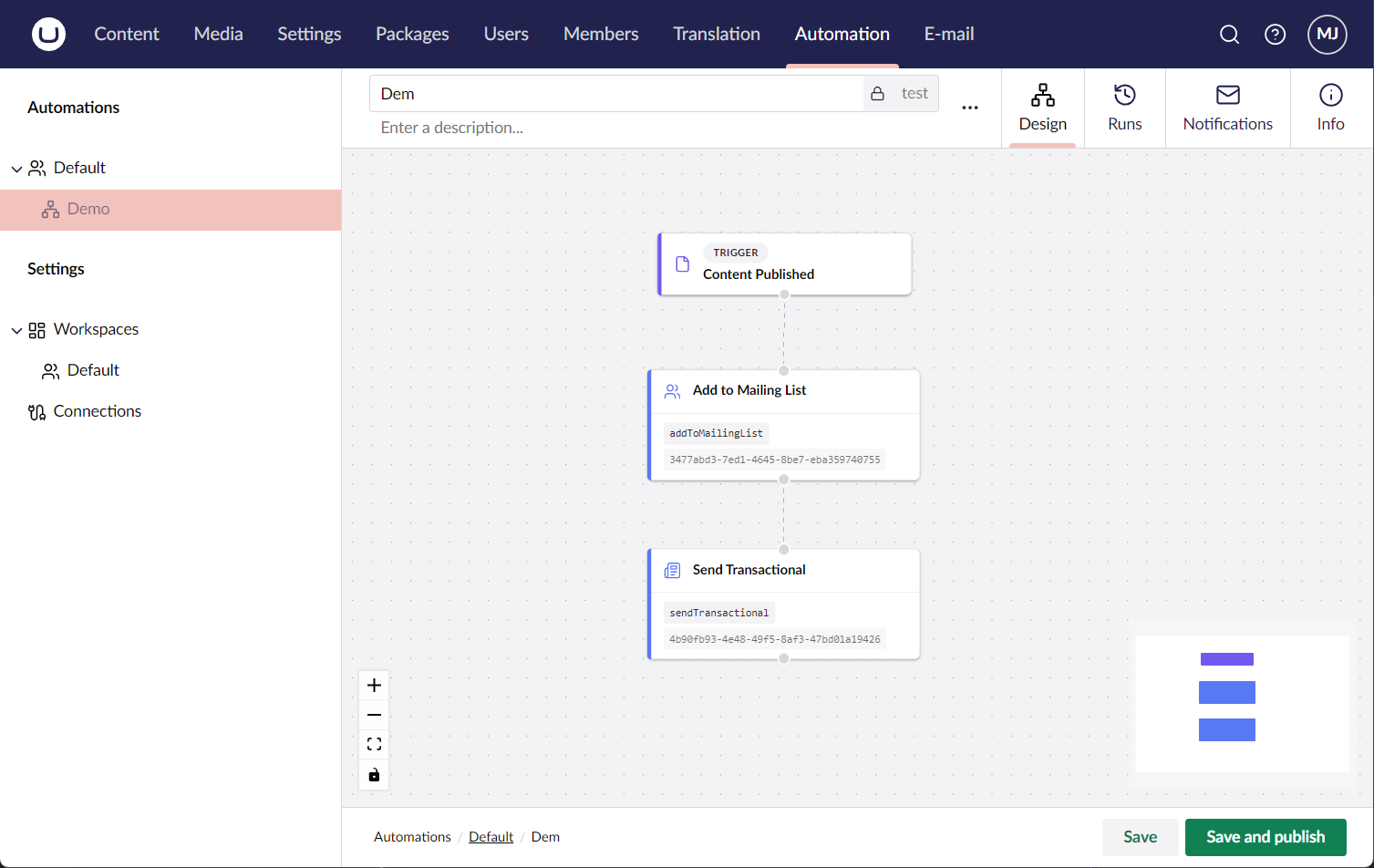
Use the Send Transactional action when a flow should send a Transactional Email from Newsletter Studio.
When configuring the action, choose the transactional email template to send. If the template uses a data model with merge fields, the action will show the available fields and let you map values from the current Automate flow into the email.
You can also configure the To field with one or more recipient email addresses. Multiple addresses should be separated by commas. The field supports Umbraco Automate bindings, so recipient addresses can come from data created earlier in the flow.
Use the Add to Mailing List action when a flow should create or update a recipient and subscribe the recipient to a Mailing List.
When configuring the action, choose the workspace and mailing list to add the recipient to. Then map values from the Automate flow to the recipient fields. The action supports the standard recipient fields such as email address, name, first name, last name and source. Custom fields configured for the selected workspace are also available for mapping.
License: MIT, source code is available on GitHub.